Product Overview
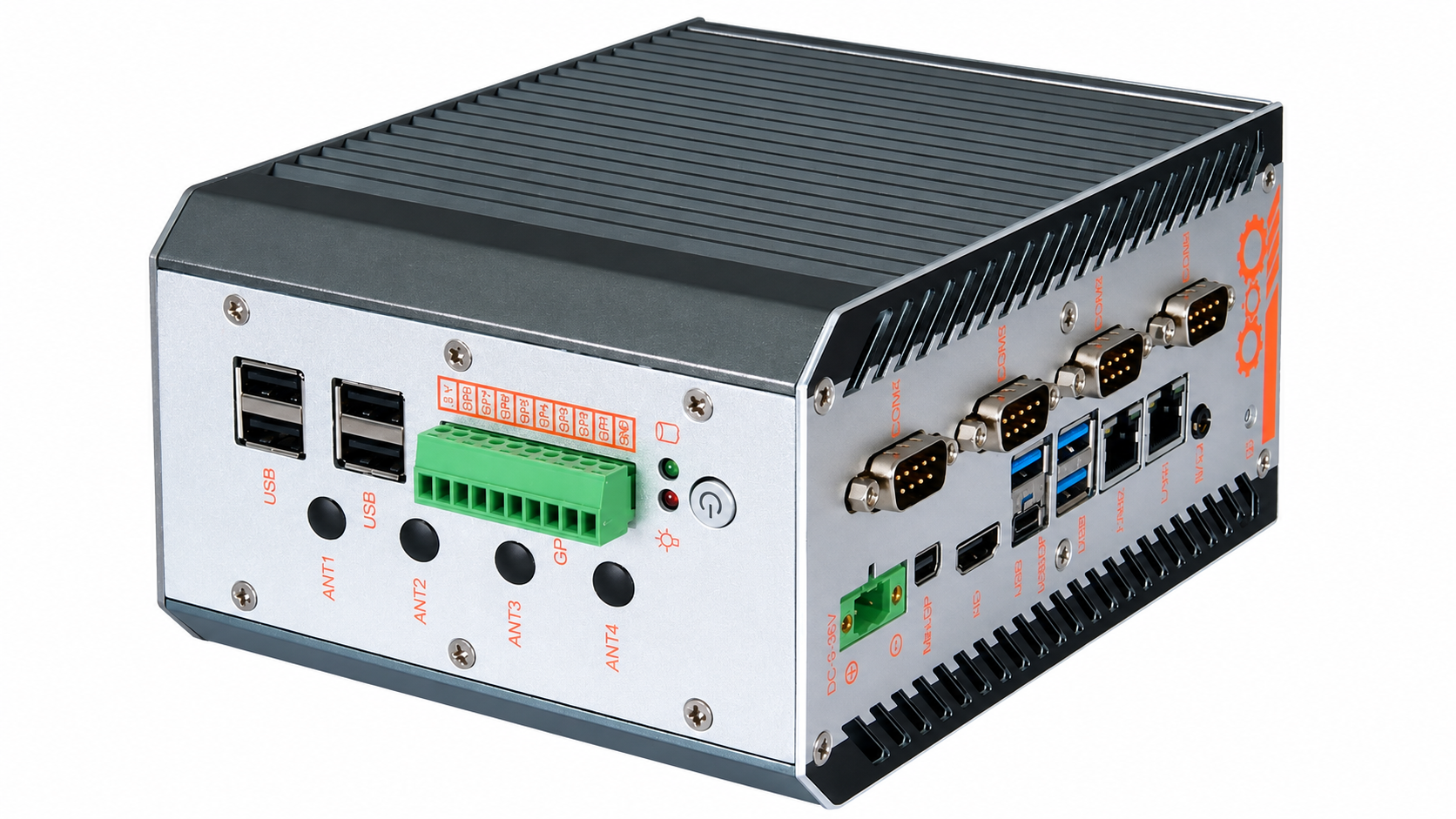
Intelligent Edge (AD600Z3AW) is a fanless industrial box PC for edge computing, machine control, and on-site data acquisition. The housing is extruded aluminum in iron gray, with a ribbon-cable-free layout. Standard desktop rubber-foot mounting can be replaced with 35 mm DIN rail or wall mounting.
The platform uses an onboard 12th/13th Gen Intel Core U/P-series processor (28 W TDP) with UEFI BIOS, dual DDR5 memory, M.2 storage, triple display outputs, and industrial I/O. Supported operating systems are Windows 10, Windows 11, and Linux.
Product Specifications
| Item | Specification |
|---|---|
| Housing and color | Extruded aluminum, iron gray; fanless cooling; ribbon-cable-free design |
| Mounting options | Desktop mounting with rubber feet (standard), 35 mm DIN rail mounting, or wall mounting |
| Processor and BIOS | Onboard 12th/13th Gen Intel Core U/P-series processor; 28 W TDP; UEFI BIOS |
| Memory | 2 × DDR5 SO-DIMM slots; up to 64 GB total |
| Storage | 1 × M.2 2280 M-key slot; PCIe 3.0 x2 or SATA 3.0, selected through hardware configuration |
| Display outputs | 1 × HDMI 2.0; 1 × Mini DisplayPort; 1 × USB Type-C (DisplayPort + USB 3.0) |
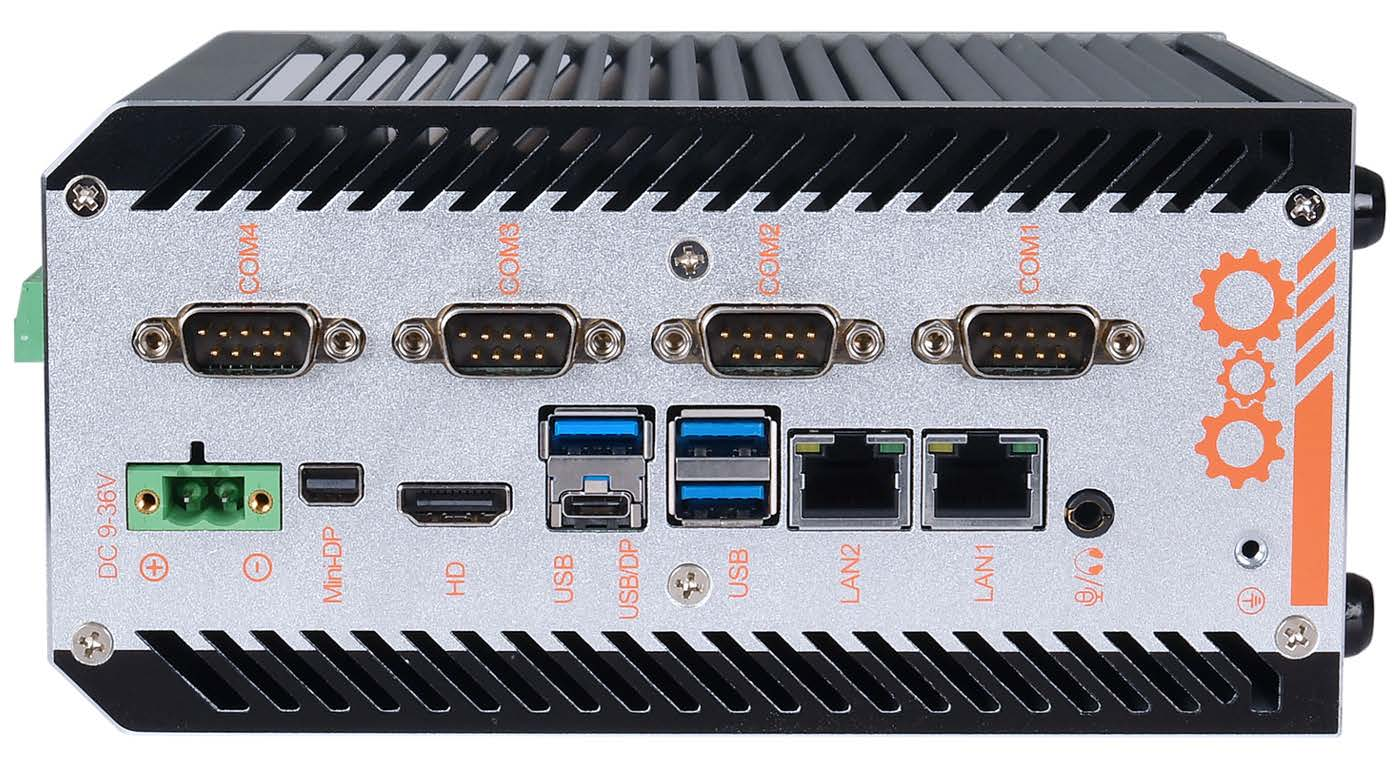
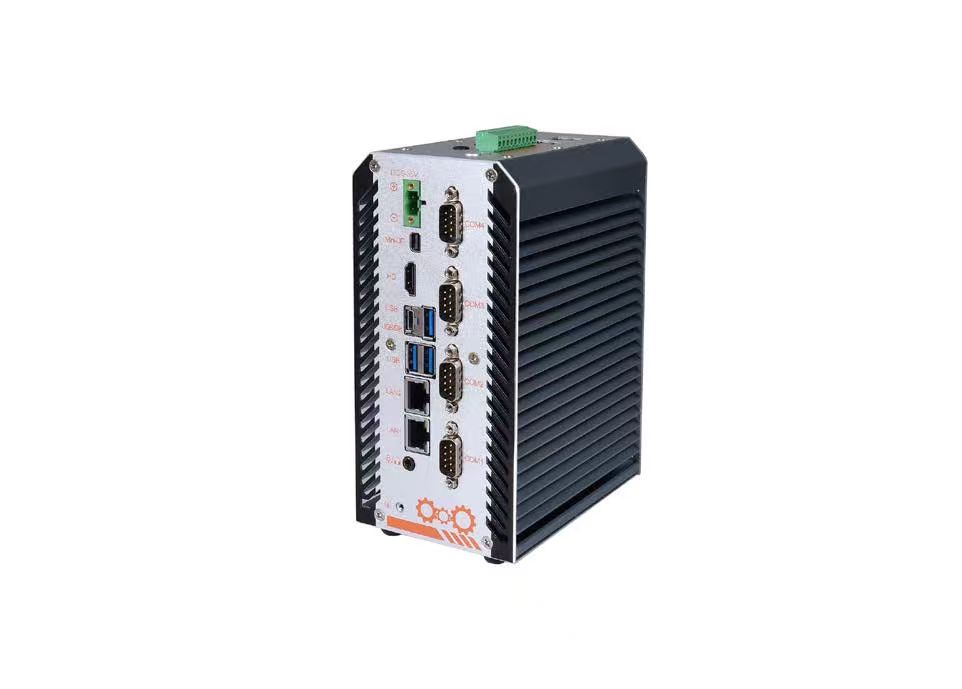
| External I/O | DC power terminal block (Phoenix type); 2 × LAN; 1 × HDMI; 1 × Mini DisplayPort; 1 × USB Type-C; 7 × USB; 1 × DB9 RS-422/485 (COM3, configurable in BIOS); 3 × DB9 RS-232 (COM1/2/4); power button; 4 × antenna mounting holes; 8-bit GPIO; 1 × combined headphone/microphone jack |
| Expansion and options | Optional discrete TPM 2.0; 1 × E-key slot (PCIe + USB 2.0) for Wi-Fi/Bluetooth; 1 × B-key slot (USB 3.0 + USB 2.0) for 4G/5G |
| Power supply | 9–36 V DC, 120 W |
| Environment | Operating: -20 to +60 °C, 5–90% RH. Storage: -40 to +85 °C, 5–90% RH |
| Supported operating systems | Windows 10, Windows 11, and Linux |
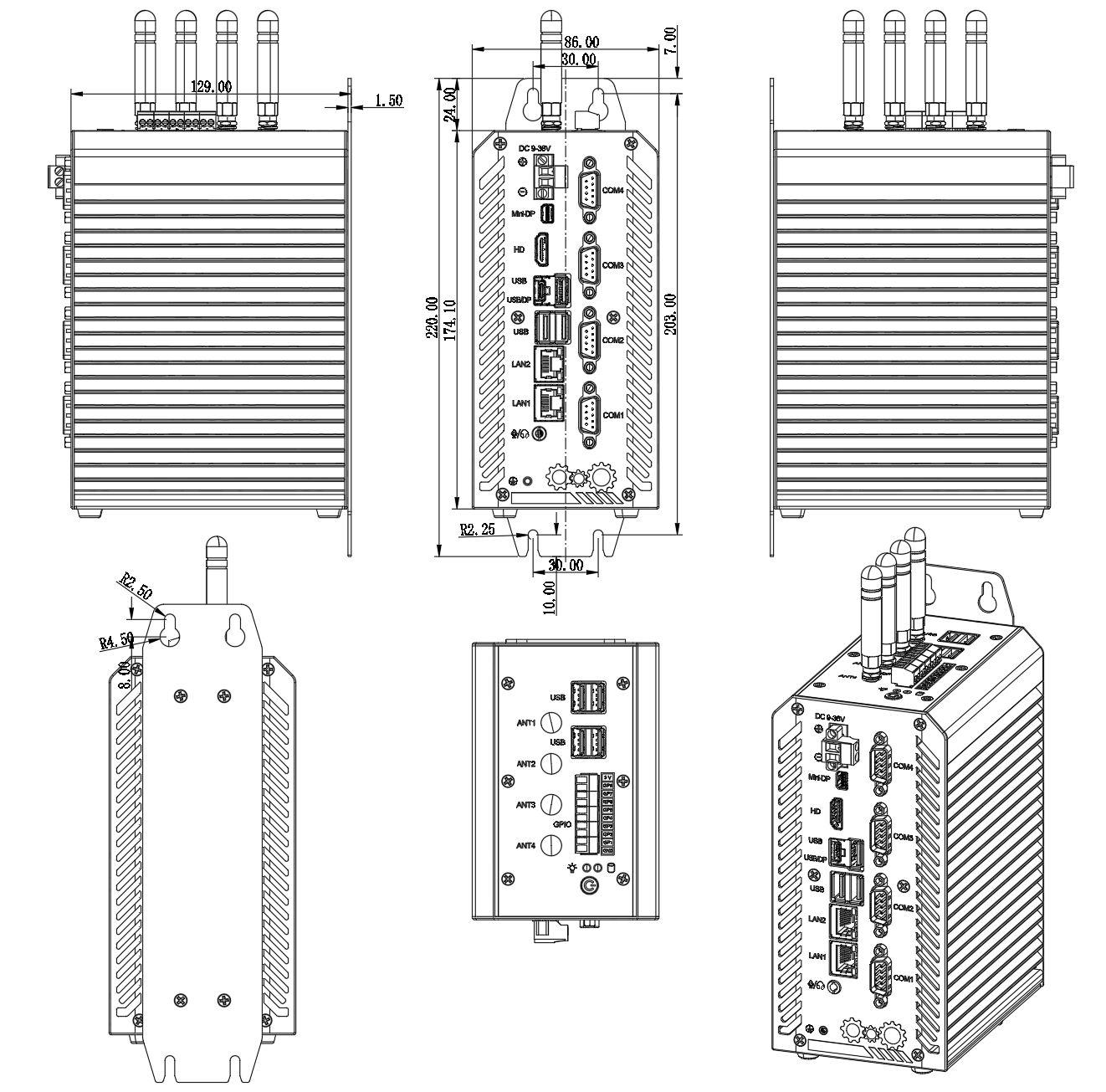
| Dimensions | 174 × 129 × 86 mm, excluding mounting brackets |
| Gross weight | Approximately 4 kg |
Product Interfaces
Front and rear panels bring together display, USB, serial, LAN, GPIO, antenna, audio, and DC power connections.
Mechanical Dimensions
174 × 129 × 86 mm, excluding mounting brackets.
BIOS Configuration
Turn on or restart the system. When POST information appears, press F2 to enter BIOS Setup, or press F12 to open the boot device selection menu. BIOS settings affect system performance and functionality; incorrect settings may prevent startup. Restore factory defaults if the system will not boot.
| Key | Function |
|---|---|
| Left / Right arrow | Select a menu |
| Up / Down arrow | Select an item |
| Enter | Confirm a selection |
| + / - | Change a value |
| F1 | Display help |
| F3 | Discard current changes and restore the previous settings |
| F9 | Restore factory defaults |
| F10 | Save changes and exit |
| Esc | Return to the previous screen |
| Menu | Description |
|---|---|
| Main | Set system date and time. Items shown in black are read-only, including BIOS ID, version, and vendor; CPU manufacturer, model, and frequency; and memory information. |
| Settings | S5 RTC wake from the S5 state; AC power-loss automatic startup; special settings. |
| Advanced | RC ACPI, connectivity, CPU information (model, frequency, threads, cache), Power & Performance (Turbo Boost and power consumption), PCIe, PCH-FM, thermal, serial console redirection, ACPI D3Cold, overclocking, AMT, BCLK, debug, trusted computing, ACPI, IT8613 Super I/O, hardware monitor (CPU temperature, fan speed, automatic fan control), IT8786SEC Super I/O, and UEFI variable protection. |
| Chipset | System Agent (SA) configuration and PCH I/O configuration. |
| Security | Administrator and user passwords (3 to 20 characters) and Secure Boot. A forgotten password is cleared by the CMOS-clear procedure in the motherboard documentation. |
| Boot | Setup prompt timeout, Bootup NumLock state, Quiet Boot, boot option priorities (Boot Option #1 / #2), and Fast Boot. |
| Save & Exit | Save or discard changes and exit or reset; restore defaults; save or restore user defaults; Boot Override for a one-time boot device. |